
Introduction of Flow Transactional Email
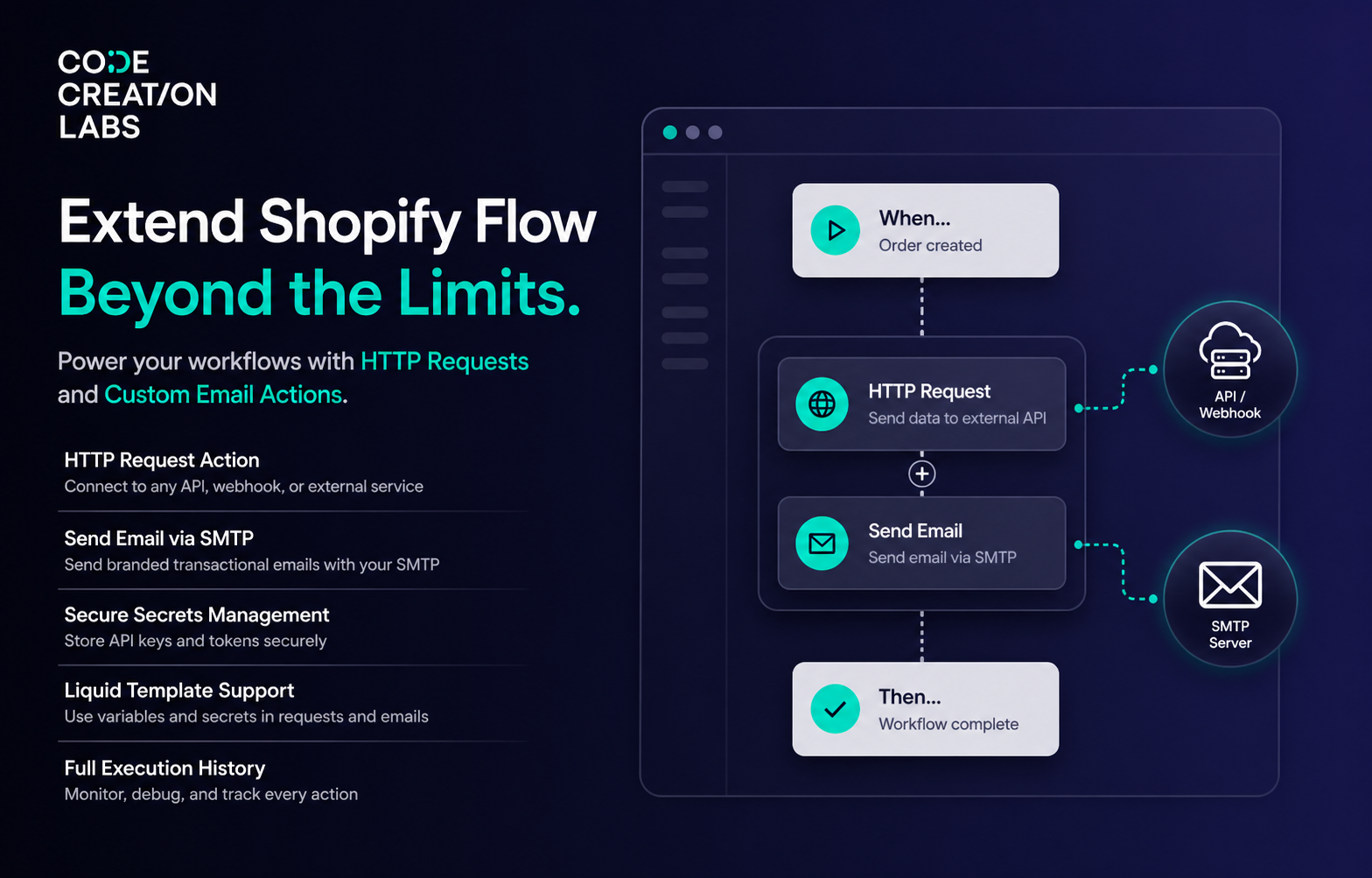
Shopify Flow is a powerful automation platform, but its built-in action library has limits. You can trigger workflows and set conditions, but when it comes to doing something with external services, calling an API, sending a custom email, native Flow falls short.
Flow Transactional Email bridges that gap. It adds two versatile actions to Shopify Flow, HTTP Requests and Email Sending, letting you connect your workflows to any external API, webhook, CRM, or notification service, all without writing a single line of code.
What Makes It Different
Native Shopify Flow handles internal Shopify actions well (tagging, publishing, inventory adjustments). What it lacks is outbound connectivity, the ability to reach beyond Shopify and interact with external systems. This extension focuses precisely on that gap:
-
HTTP Request action : send GET, POST, PUT, PATCH, or DELETE requests to any API endpoint. You can even send the HTTP request if you are on Basic Plan of Shopify using Flow Transactional Email app
-
Email action via SMTP : send rich HTML transactional emails through your own mail server. When you have your own SMTP and Email deisgn, then your brand identity is in your control.
-
Secure secrets management : store API keys, tokens, and passwords once, reference them anywhere with
{{ secrets.keyName }}syntax -
Liquid template support : build dynamic request bodies and email content with
{{ variables.xxx }}placeholders populated from Flow -
Full execution history : every action logged with request/response details for easy debugging
-
Zero Shopify permissions : the app never accesses your shop data, it only executes outbound requests and sends emails
Feature Reference by Category
HTTP Request Action
Connect Shopify Flow to any external API, webhook, or service with pre-configured HTTP request templates.
|
Feature |
Description |
|---|---|
|
All HTTP Methods |
Supports GET, POST, PUT, PATCH, and DELETE — choose the right method for your API |
|
Custom Headers |
Add any headers your API requires (Authorization, Content-Type, custom headers, etc.) |
|
Dynamic URLs |
Use |
|
JSON Body Templates |
Build request bodies with Liquid template syntax reference secrets and Flow variables inline |
In the following short video, you can see how sending a custom HTTP request using Flow Transactional Email look like in short video (video has no voice), You can also see the Step by Step guide to send the HTTP request from Shopify Flow using Flow Transactional Email app
Send Email Action
Send transactional emails directly from Shopify Flow using your own SMTP server.
|
Feature |
Description |
|---|---|
|
SMTP Configuration |
Connect Gmail (smtp.gmail.com:587), SendGrid, Mailgun, Amazon SES, or any custom SMTP server |
|
HTML Email Templates |
Create rich email templates with Heading, Text, Image and add the variables from the Shopify Flow data. |
|
Dynamic Subject Lines |
Use |
|
Custom Variables |
Pass custom data as JSON in the Flow action input (eg,
|
|
Display Name |
Set an optional "From" display name so emails appear from your brand, not a raw address |
You can see how sending an email using Custom SMTP configuration and custom email design using Flow Transactional Email look like in short video (video has no voice), You can also see the Step by Step guide to send an email using custom SMTP and custom design using Flow Transactional Email
Secrets Management
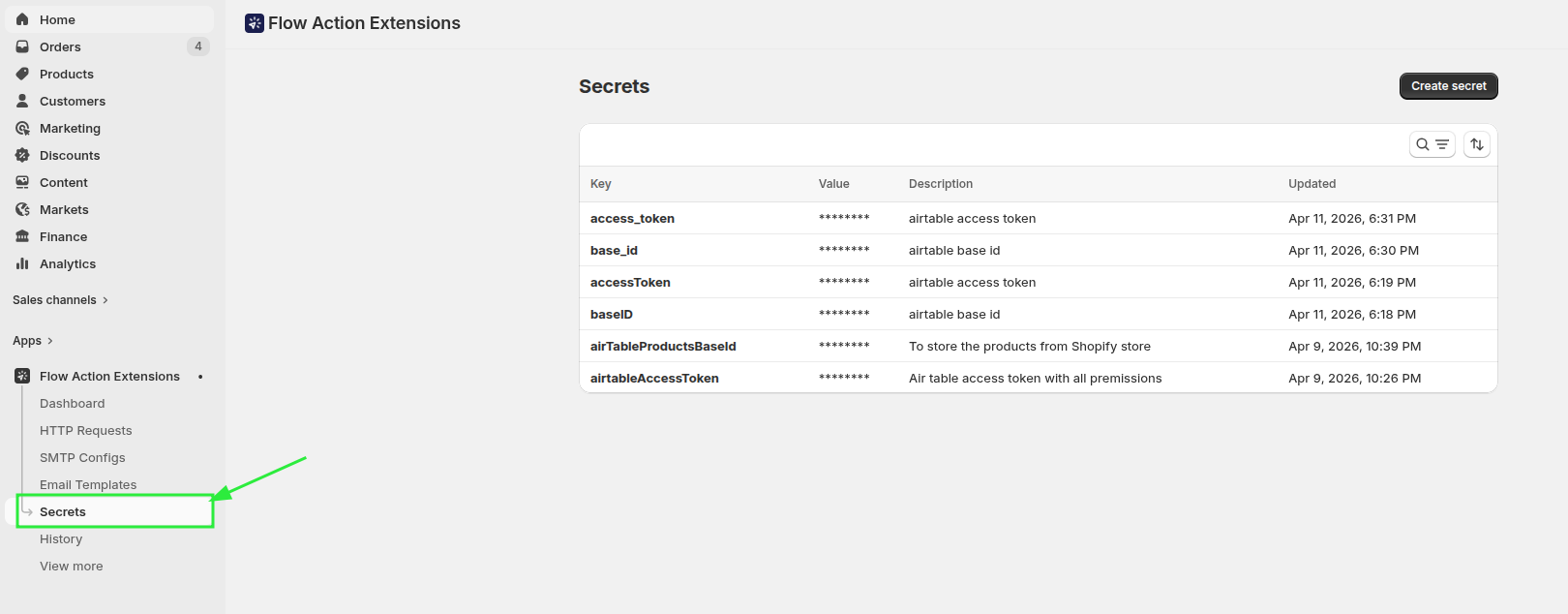
Store sensitive credentials securely and reference them across all your HTTP request and email templates.
|
Feature |
Description |
|---|---|
|
Secure Storage |
API keys, auth tokens, and passwords are stored securely, never exposed in templates, Flow config, or logs |
|
Simple Syntax |
Reference any secret with |
|
Reusable |
Create a secret once, use it across any number of HTTP request and email templates |
Important: Use the correct syntax {{ secrets.keyName }} not
{{ secret.keyName }}or {{ secrets['keyName'] }}. Check Event History to verify
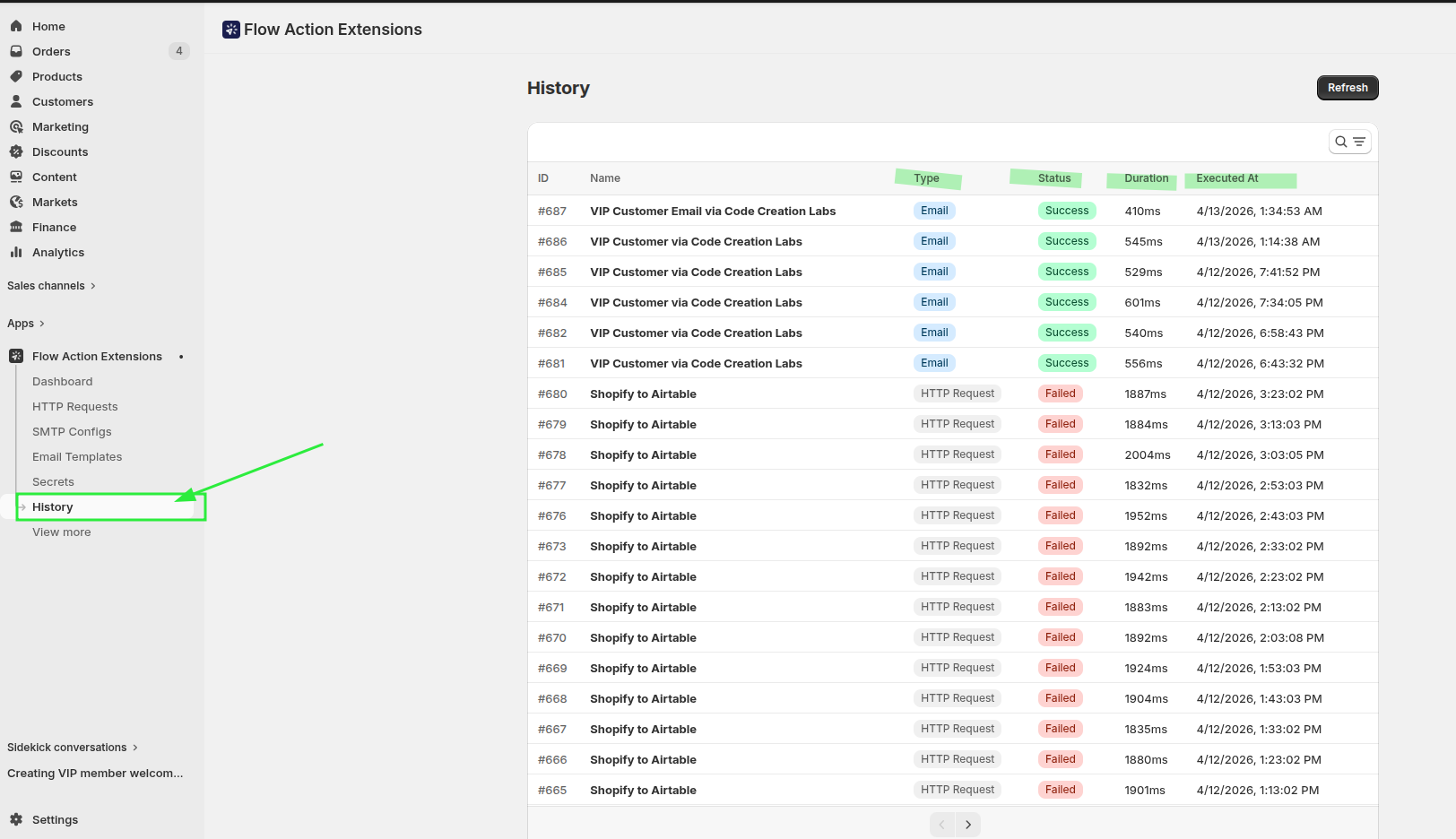
secrets are being replaced correctly in the actual request.
Event History & Debugging
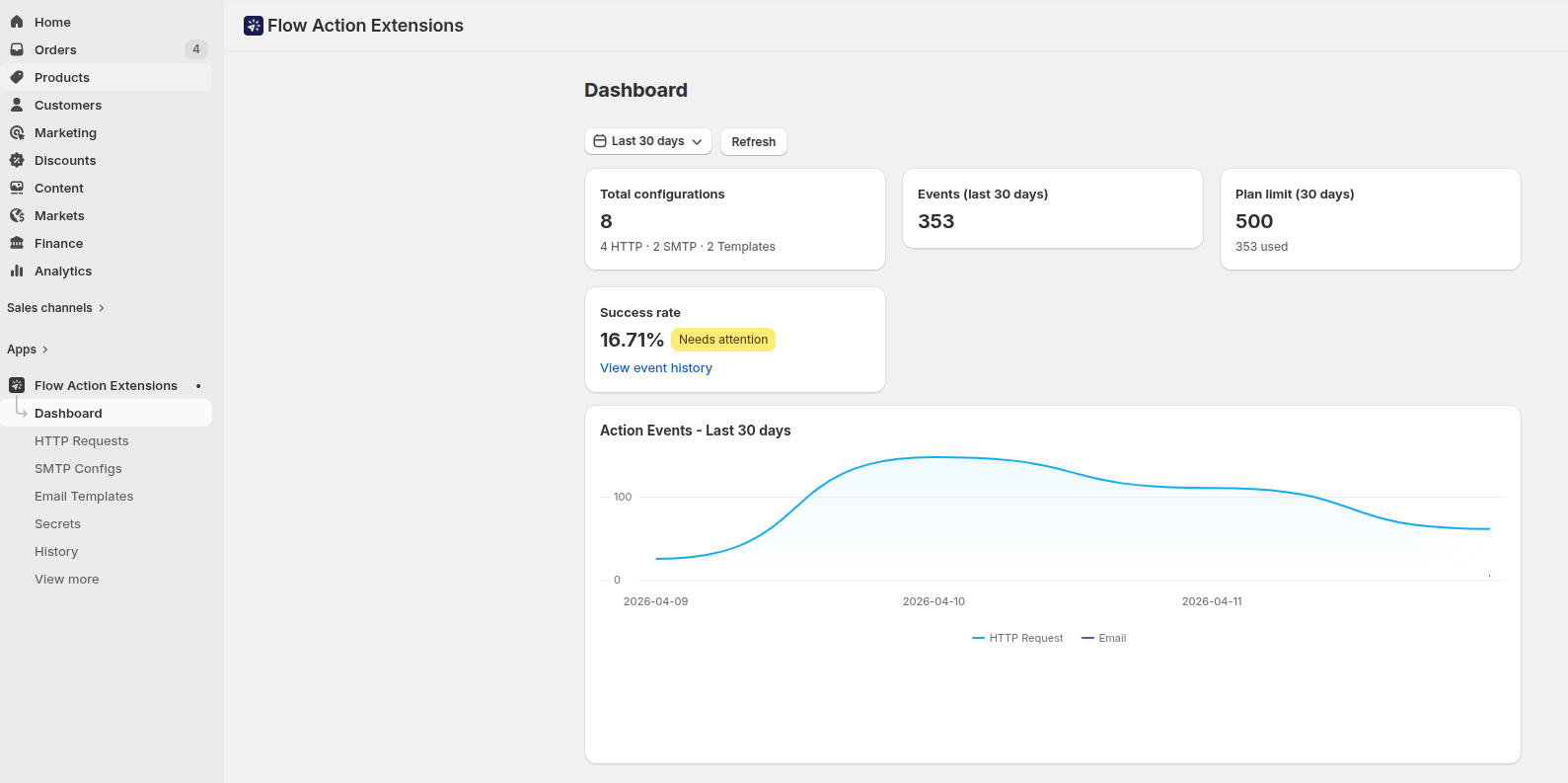
Monitor every action execution with detailed logs and troubleshooting information.
|
Feature |
Description |
|---|---|
|
Events Card |
Shows your current usage for the selected time period |
|
Plan Limit Card |
Displays your monthly execution limit (30-day rolling window) |
|
Success Rate Card |
Shows how many actions completed successfully vs. failed |
|
Event History |
Lists every individual action execution with status, timestamp, and details
|
Common Use Cases
Here are some popular ways merchants use Flow Transactional Email:
Slack / Teams Notifications
Send a message to a Slack channel or Microsoft Teams webhook whenever an order is placed, a high-value customer signs up, or inventory drops below a threshold. Use an HTTP POST request with a JSON body containing order or customer details.
CRM Sync (HubSpot, Pipedrive, etc.)
Automatically create or update contacts in your CRM when a customer is created or updated in Shopify. Use an HTTP POST or PUT request to push customer data to your CRM's API.
Warehouse/fulfillment webhooks
Notify your 3PL or warehouse system when an order is ready for fulfillment. Send order line items, shipping address, and special instructions via an HTTP POST request.
Custom Order Confirmation Emails
Send branded transactional emails via your own SMTP server instead of relying on Shopify's default notifications. Full HTML support means pixel-perfect emails that match your brand.
Inventory Alerts
Trigger an HTTP request to your internal system or a monitoring tool (PagerDuty, Opsgenie, etc.) when inventory reaches critical levels.
Accounting / ERP Integration
Push order data to your accounting software (Xero, QuickBooks, etc.) or ERP system via their API when orders are created or fulfilled.
Support
You can reach out to [email protected] or join our Apps Slack Workspace here